
If a Tria deposit is not received, do not repeat the same transfer at a larger size. Match the deposit screen, source withdrawal, TXID, chain explorer, wallet balance and card balance. The most expensive mistake is using a token or network that looks similar but is not the route shown inside Tria.
First checks after a missing deposit
Use the original deposit screen and the sending wallet or exchange withdrawal screen side by side. Do not rely on token symbols alone; token contract and network matter.
Network and token mismatch checks
Tria's documentation lists multiple supported networks for its SDKs, and the cashback terms refer to supported blockchains for stablecoin delivery such as Ethereum, Polygon, Optimism and Arbitrum. A general supported-network list does not guarantee every token is accepted for every deposit route inside the card app. Use the deposit screen shown at the moment of transfer.
| Problem | How it looks | What to verify |
|---|---|---|
| Wrong network | TXID succeeds on-chain, but the Tria app does not show the deposit. | Network on Tria Deposit screen vs network chosen in source wallet. |
| Wrong token contract | Symbol matches, but token contract differs from the expected asset. | Contract address on explorer and Tria asset row. |
| Below minimum | Explorer shows transfer, but app waits or ignores the amount. | Minimum deposit amount and fee deducted by source platform. |
| Pending confirmations | Source says sent, but explorer or app still waits. | Confirmation count and Tria app history after enough time has passed. |
| Card balance not updated | Wallet receives funds, but card cannot spend yet. | Separate conversion, spendable balance, card-linking or settlement step. |
Wallet balance and card balance are separate checks
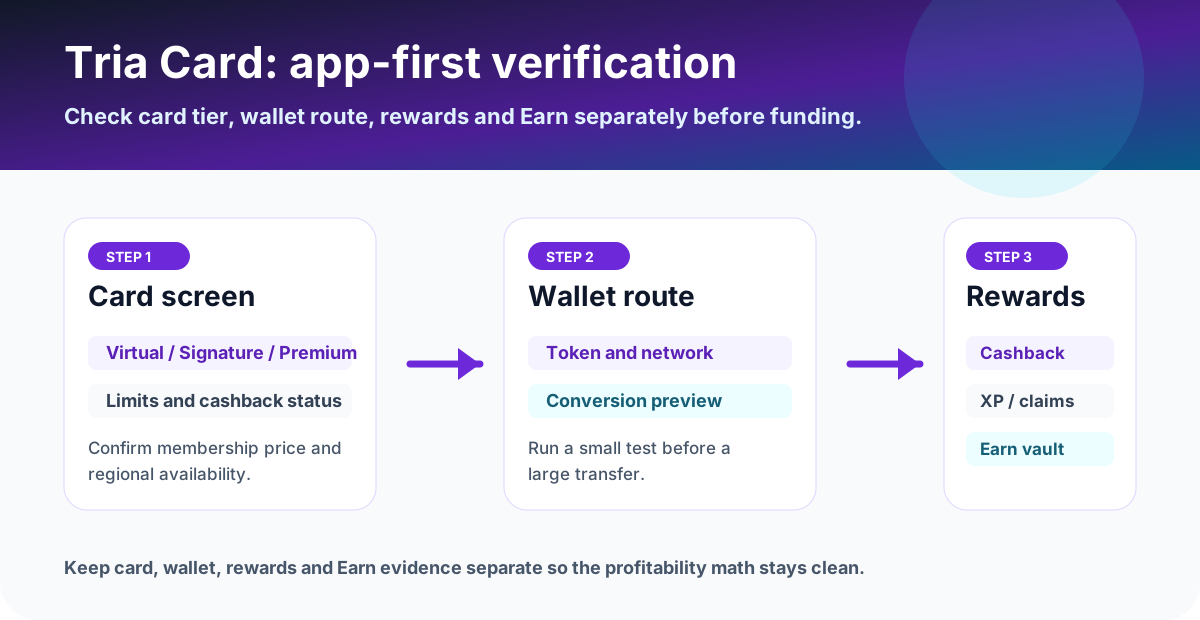
Tria's card help center explains that Tria connects wallet balances to card spending and converts assets at payment time. In practice, users should still check whether the asset is visible in Wallet, whether it is eligible for spending, and whether the Card screen shows spendable balance or card status.
Check whether the token is spendable, whether conversion preview is available, and whether your card is active.
Check card status, merchant type, prohibited use, collateral/spend limit, currency conversion and issuer decline details.
Check whether the transaction is eligible, posted, refunded, cash-like, P2P, account-funding, gaming or gambling.
Support packet to prepare
Support can move faster when the evidence is complete. Send one clean packet instead of partial screenshots.
- Tria Deposit screen showing asset, network, address, memo or tag if any, and date.
- Source wallet or exchange withdrawal screen showing asset, network, amount, fee and destination address.
- TXID, explorer link, confirmation count, success or failure status and token contract.
- Tria Wallet balance screen, Card balance screen and transaction history after waiting.
- Any error message, support ticket ID, country, KYC status and card tier.
Prevent the next failed deposit
Use the smallest practical test before scaling
A small deposit gives you an address, network, timing and spendability test before meaningful funds are at risk.
Use the current Deposit screen, not an old saved address.
Confirm the network and token contract before signing or withdrawing.
Confirm Wallet, Card balance and a small eligible payment before sending more.
FAQ
What should I check first if a Tria deposit is not received?
Check the exact token, network, deposit address, memo or tag if any, TXID, blockchain confirmation status, source-wallet withdrawal status, Tria wallet balance and Tria card balance. Do not send a second large transfer until the first one is explained.
Can a supported token still fail to appear?
Yes. A token can be supported on one network but not another, or the app may require a specific deposit route, contract, minimum amount or confirmation count. The deposit screen shown before transfer is the source of truth.
What is the difference between wallet balance and card balance?
Wallet balance shows assets received or held in the app. Card balance or spendable balance can require a separate conversion, settlement or card-linking step. Check both screens before assuming a deposit can be spent.
What should I send to support?
Send the deposit screen, sending wallet or exchange withdrawal screen, TXID, token, network, address, amount, timestamp, explorer link, wallet balance screen, card balance screen and any error message.
Official sources checked
Network support and app deposit routes can change. Use the app's live Deposit screen before any transfer.