
Issuer pageVerify
Card / Fees / LimitsCheck region, fees, rewards, KYC, and limits
Open the issuer page and verify the live card conditions before funding.
A stablecoin-first Visa card with Standard (free), Premium ($1,000 a year) and Private ($10,000 a year) tiers, 1.5–3% USD cashback, KAST Points on paid tiers, physical cards, Apple Pay or Google Pay support, and ATM access. The key numbers are below, re-checked against KAST's help centre on 2026-10-01.
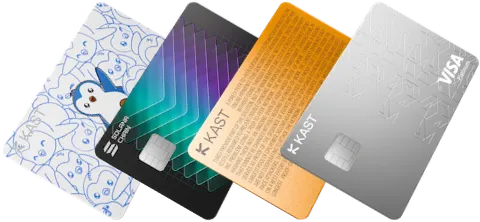
A stablecoin-first Visa card with Standard, Premium, and Private tiers, USD cashback, KAST Points on higher tiers, physical cards, Apple Pay or Google Pay support, and ATM access.
Non-stablecoin deposits are auto-converted with a conversion fee that varies by token and is shown before you confirm. Non-USD card spend has a 0.5-1.75% FX fee.
Always compare reward value with card, FX, ATM, membership, and conversion costs.
Advertising disclosure: the "Open official site" buttons are our KAST referral link (code JQDMB03P), and we may be paid if you sign up. It does not change the fees or rewards described here.
Besides the card, KAST pays a promotional reward on USD you move into the USD Reserve Account: Standard 8%, Premium 10% on the first $50,000, Private 12% on the first $200,000, with no lock-up and card spending straight from Reserve. On 2026-10-13 the app said the boost lasts until mid-2027 and then returns to 4%, while the legal terms still say 31 December 2026 or $100 million in total reserves. It is not a deposit and has no deposit insurance. Read the KAST Reserve guide.
KAST is opened and managed in its mobile app. Install it from the official store listings below, and check the developer name before you install.
Installing the app does not mean you can open an account: KAST publishes no country list, and eligibility is decided by the country dropdown during sign-up and KYC. See KAST card supported countries: how to check.
Use the hub to move from review to fee check to comparison without hunting through the whole site.
Max cashback per tier, when a paid tier beats Standard, Points, redemption and FX costs.
Checked October 13, 2026
How much cashback each tier pays, where the monthly caps cut in, and when Premium pays for itself.
Checked October 1, 2026Stablecoin 1:1 conversion, the FX fee on non-USD spending, ATM costs and USD bank transfer fees.
Checked October 1, 2026Why KAST's two official help articles disagree, the $3 + 2% fee, whether a virtual card works at an ATM, and a safe first withdrawal.
Checked October 13, 2026Check code attribution, new-user eligibility and the 45-day window. Verify your personal offer separately from the publisher’s commission; a code does not guarantee a fixed bonus.
General terms checked October 6, 2026No public country list: how the sign-up dropdown works, KYC levels, VPN and ID rules, and what KAST confirms for Pakistan.
Checked October 13, 2026
For EEA and UK readers moving off Gnosis Pay: how KAST compares with the other cards on FX, custody and availability.
Checked October 1, 2026Compare fee assumptions for non-USD spend, ATM use, rewards, and Pro membership.
Updated June 2026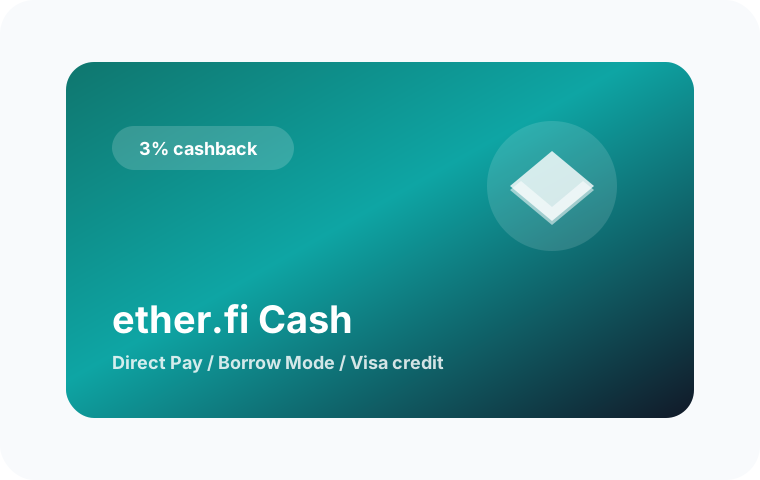
3% ETHFI vs 1.5% USD cashback, FX, ATM and Japan availability, each row linked to its source.
Checked October 2026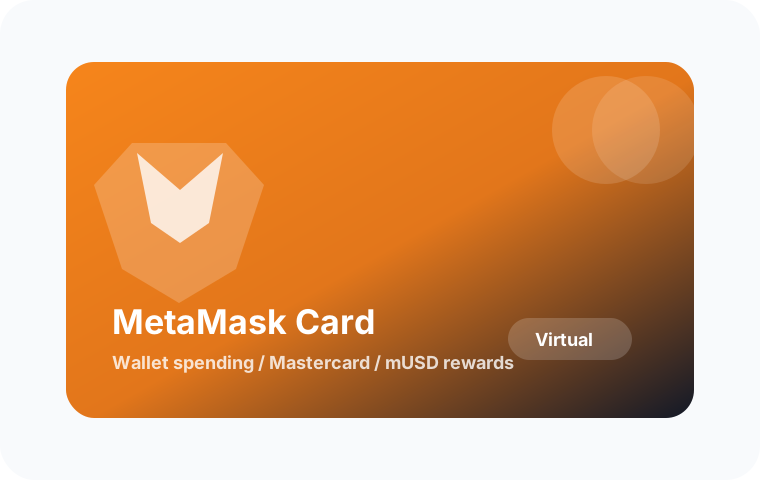
MetaMask's country list (Japan, US and UK not open) against KAST, with fees and cashback side by side.
Checked October 2026Before acting on a card page, check the issuer app or official help page, then keep records that can be matched to dates, fees, card status, rewards, and region eligibility.
KAST is a Visa card and account funded mainly with stablecoins. Your balance is shown in US dollars, and you can spend it online, in stores, with Apple Pay or Google Pay, and at ATMs. There are three membership tiers: Standard (free), Premium ($1,000 a year) and Private ($10,000 a year).
KAST pays 1.5% USD cashback on the first $2,000 of monthly card spend on Standard, 2% on the first $10,000 on Premium and 3% on the first $40,000 on Private. Premium and Private also earn 1% and 2% in KAST Points. ATM withdrawals, transfers and fees earn nothing. Checked on KAST's fee table on 2026-10-01.
US dollar card spending is 0%. Spending in other currencies adds a 0.5% to 1.75% FX fee, plus $0.10 on non-USD purchases under $25. ATM withdrawals cost $3 plus 2%. For the limit, KAST's ATM limits article (updated 2026-08-09) says $250 per withdrawal and $750 per 24 hours, while its fees article (updated 2026-10-12) says $500 and $1,500; as of 2026-10-13 they disagree, so check the app and plan on $250. A Standard physical card costs $40 to deliver, and supported stablecoin deposits convert 1:1 with no fee.
Yes. This site's KAST referral code is JQDMB03P. Confirm any personal benefit, amount and eligibility in your own official sign-up or Rewards screen. The general referral terms checked on October 6, 2026 do not guarantee a fixed cash bonus or membership discount. The August–September 2026 campaign has ended. See the referral guide before applying.
Open the official site or app and confirm supported region, KYC status, card issue fee, annual fee, funding method, card status, reward terms, and any campaign deadline. Use the official screen as the final source before applying, funding, or spending.
Keep screenshots of the application screen, KYC status, funding transaction, card statement, fee row, cashback or points entry, timestamp, currency, amount, and any TXID or statement number. These records help with support and tax review.
Before applying, funding, or spending, use the latest official site or in-app screen as the source of truth. Treat this page as a decision checklist and save the live fee, reward, and availability screens.
Check your residence eligibility, identity requirements and expected costs first. Register only if the available card fits your needs.
KAST card fees and membership comparison · KAST referral code and eligibility · KAST card supported countries · Crypto cards Japan residents can get